
Every lot you're working, in one place.
For agents, builders and investors who run studies often.
Every project tool, on every property.
$499 a month, or $4,990 a year.
- 2 full studies every month. Unused ones carry over one month, up to 4 held.
- Discounted study packs: 1 for $125, 5 for $500, 10 for $900.
- Study credits you already bought still work while you're a member.
Explore sample properties and the full Pro dashboard. No sign-in required.
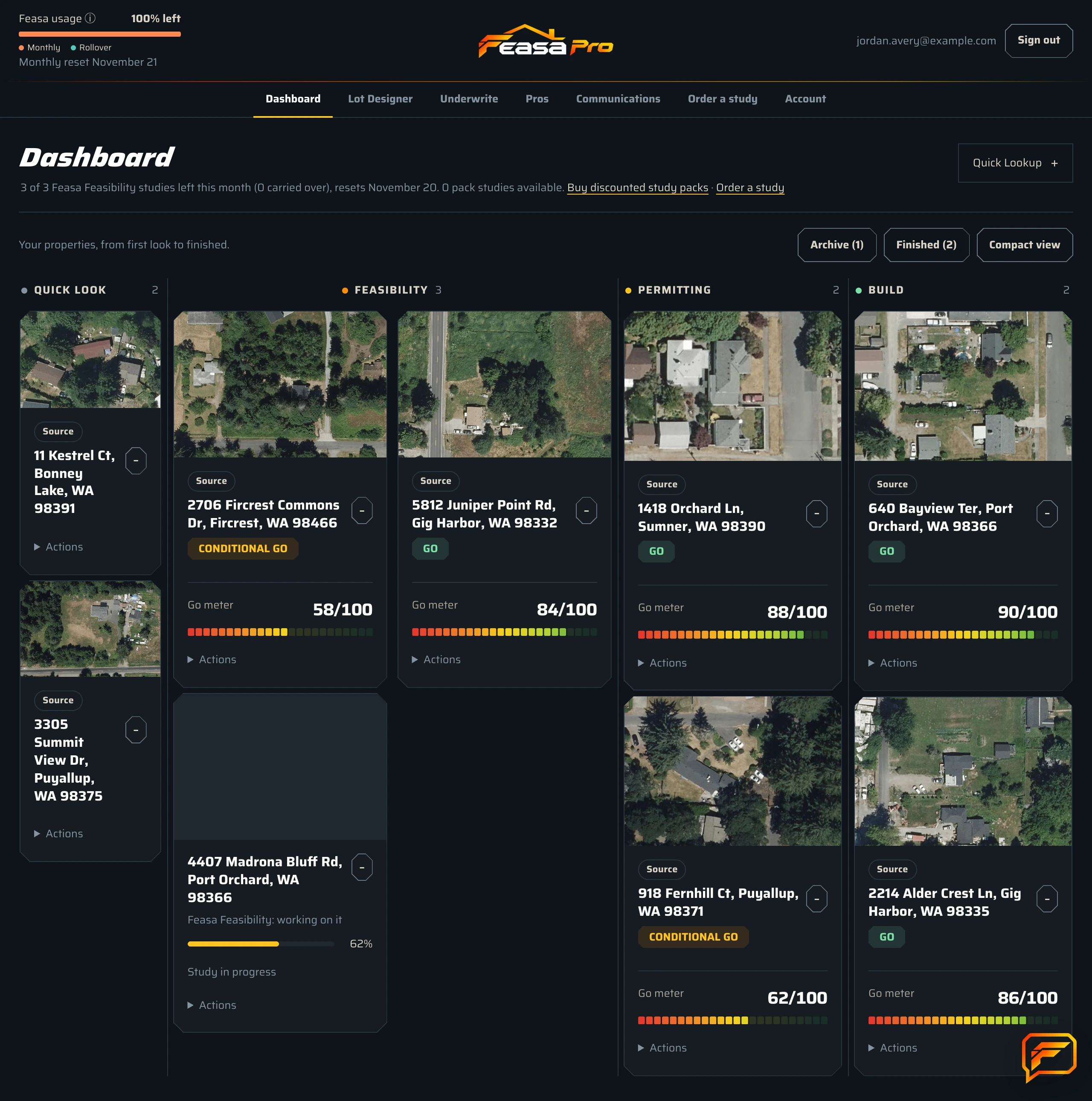
Illustrative projects shown in the current Pro dashboard.
Not the Feasa you know
is Feasa, upgraded.
It thinks longer before it answers. It searches the web live, reads the pages it finds and shows you every source. And it knows every lot on your dashboard and every study you've run, so it can weigh one project against another and tell you where your next move should be.
Communications in Feasa Pro
Turn your next question into an email.
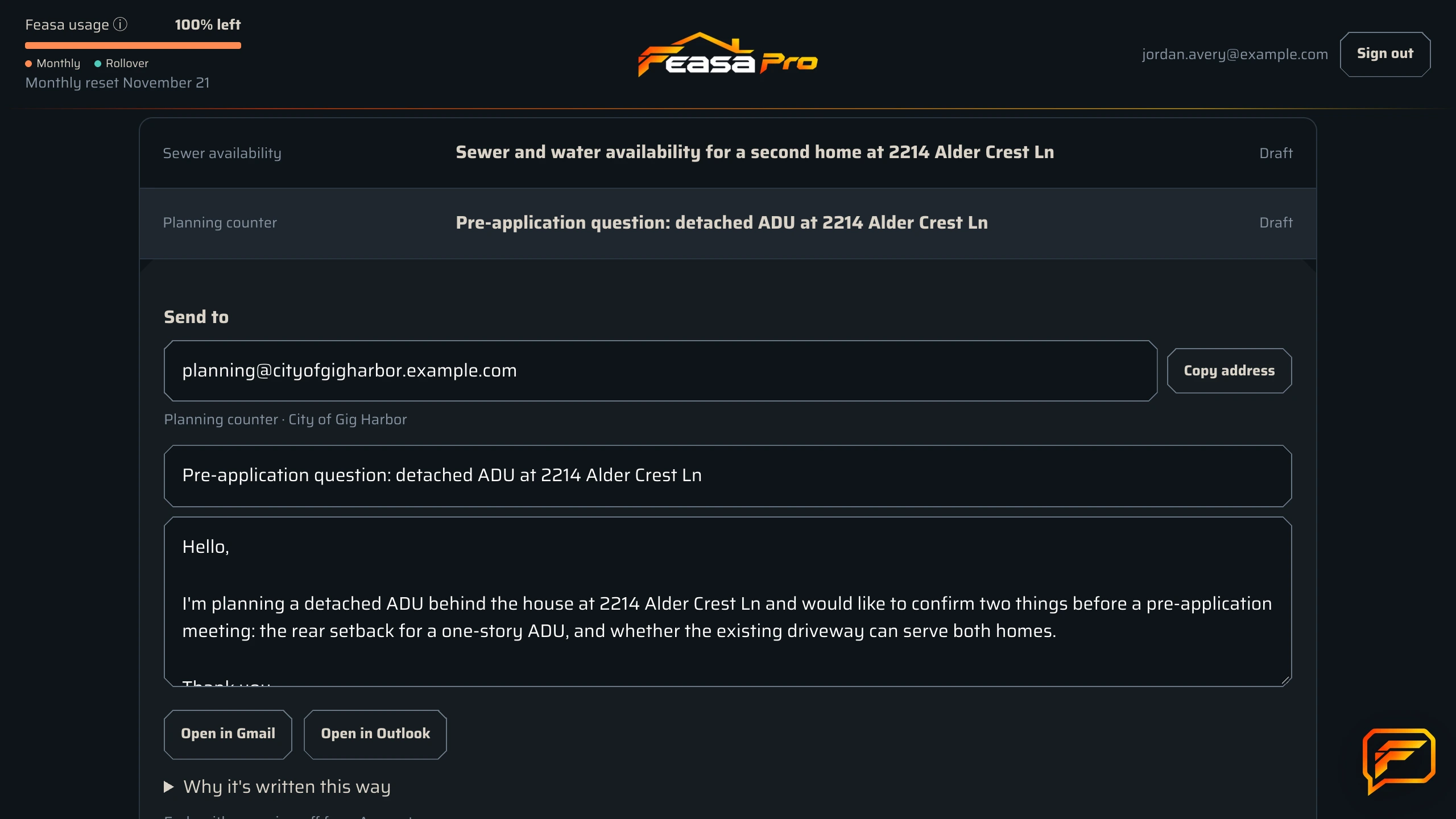
Ask Feasa to draft an email using your property and study as context. Reach out to a planner, ask a consultant for a quote, or explain the next steps to your client.
- Tell Feasa what you need. Say who you’re writing to and what you want to find out.
- Make the draft yours. Review the subject and message, check the details, and adjust the tone.
- Send when you’re ready. Keep your drafts in Communications, then open one in your email app or copy it. You decide what gets sent.
Feasa Pro
Know if it pencils before you break ground.
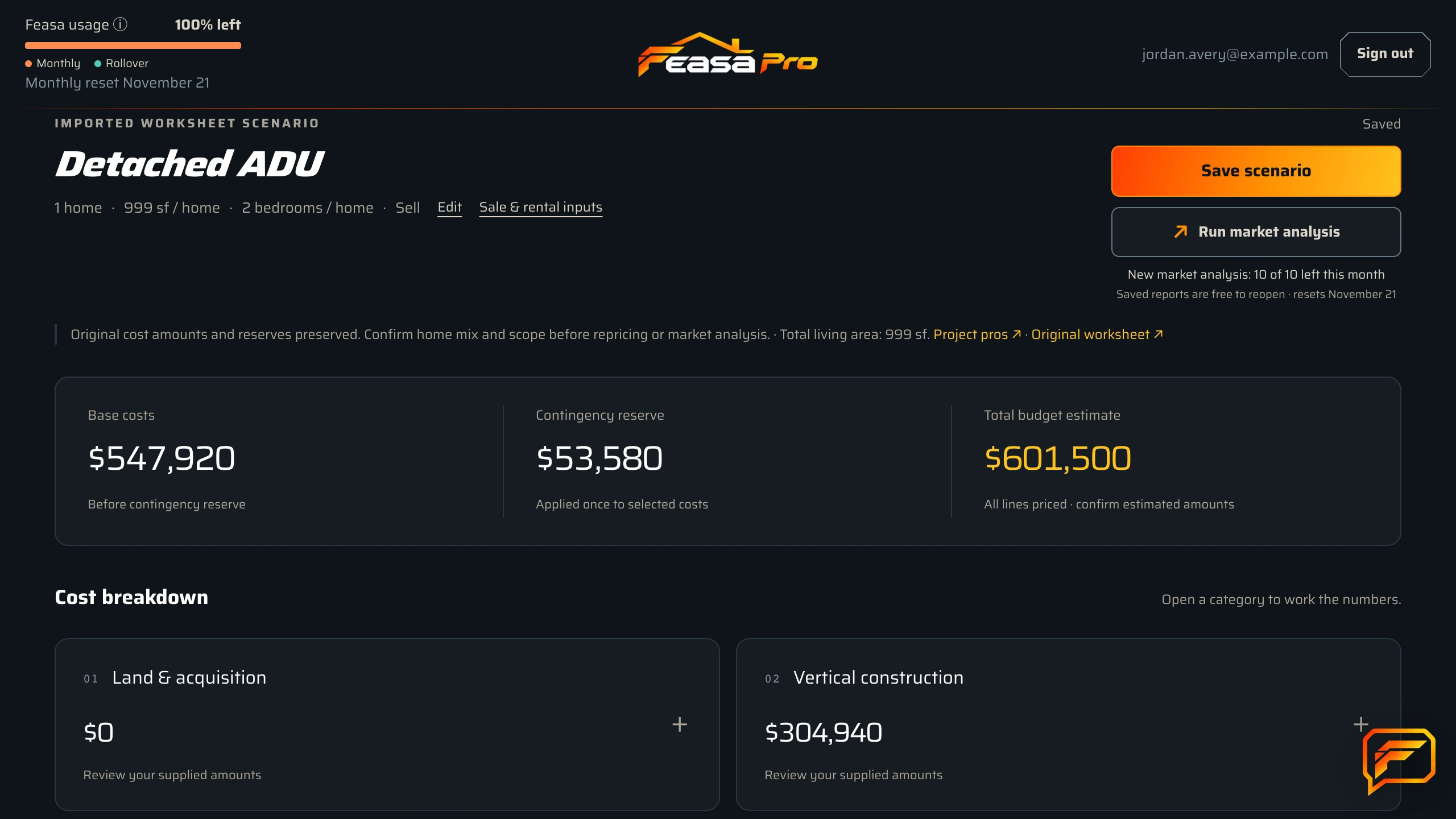
Every Feasability already prices the build. Underwrite turns that budget into a deal: your costs, your financing, your sale price, and the answer to the only question that matters. Does it pencil?
- Pick a study and a path. Start from a study option or create a scenario, then choose the home mix and whether to sell or rent.
- Make it yours. Open cost categories for construction, site work, utilities and permits. Keep unpriced items and estimates visible.
- Compare the market. Run sale and rental analysis for your scenario. Saved reports reopen without using another analysis.
- See if it pencils. Adjust financing, holding and exit assumptions. Review the budget, projected profit or rental cash flow, then save the scenario to your project.
Example, all cash.
Keep multiple saved scenarios for each project and compare your next move.
Feasa Pro
One-click market analysis
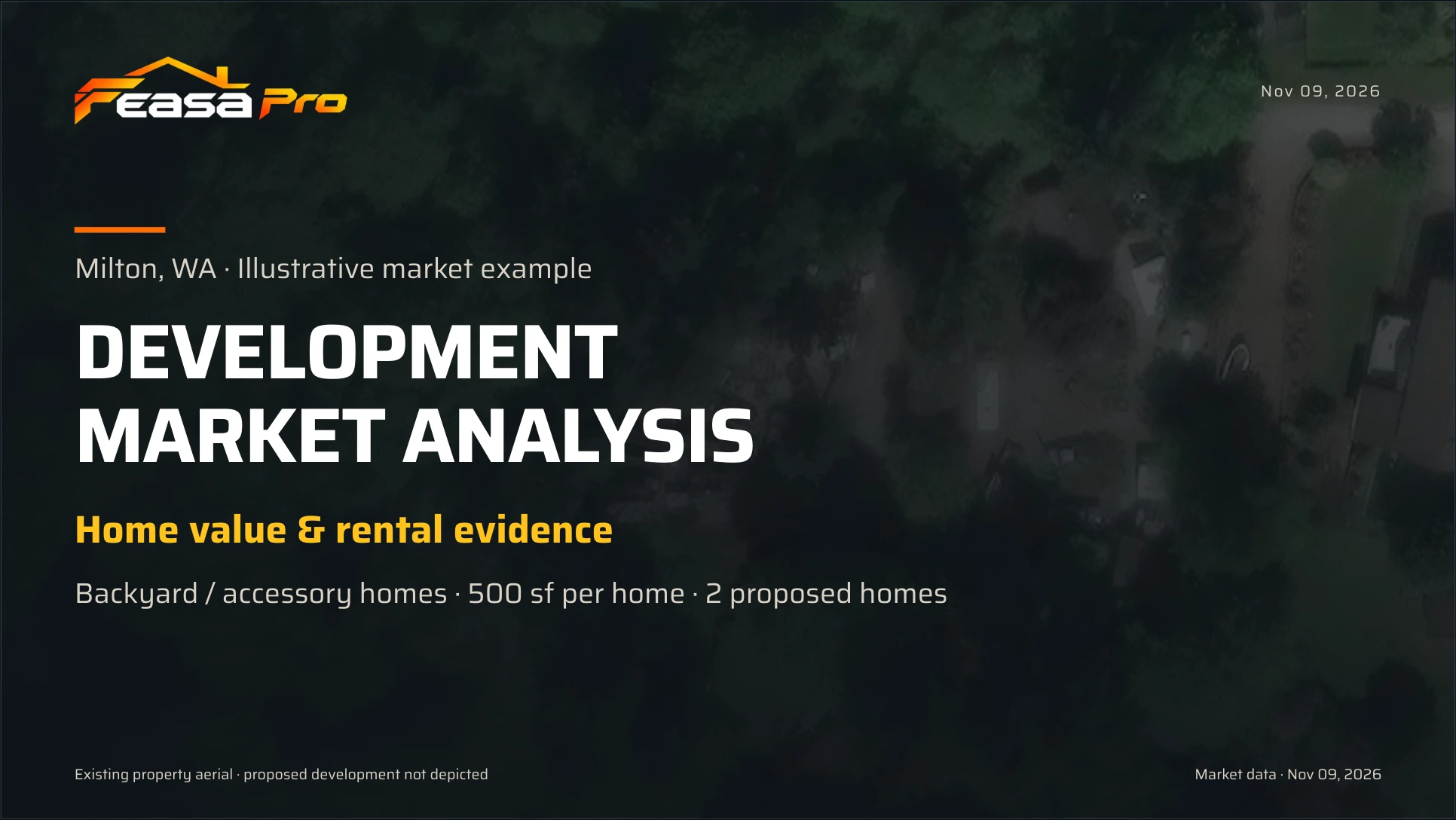
Click once on any scenario. Feasa pulls sold, active and rental comparables, ranks the closest matches and hands you a 13-page report you can print or save. 10 a month with Feasa Pro.
Lot Designer
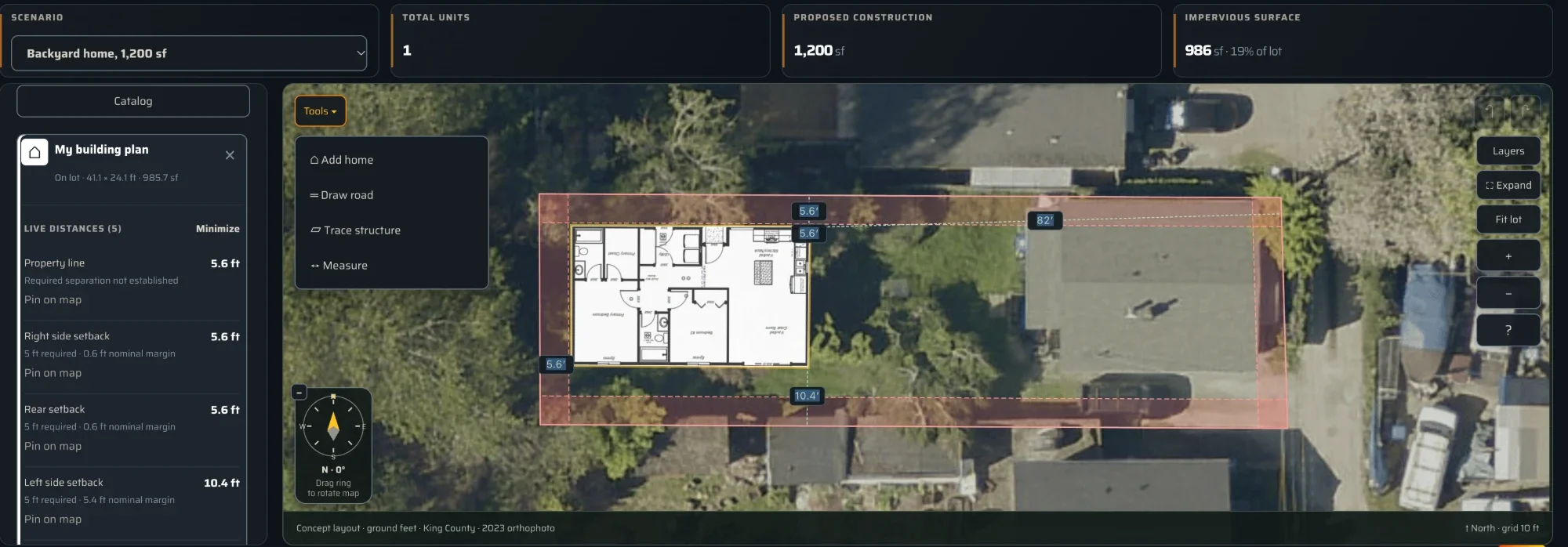
Sketch any lot. Before you pay for a study.
Pull up an address with Quick Lookup and open it in the Lot Designer. Drop in real home plans, test the fit, and order the full study only when the lot earns it.
Requires a Feasa Pro subscription
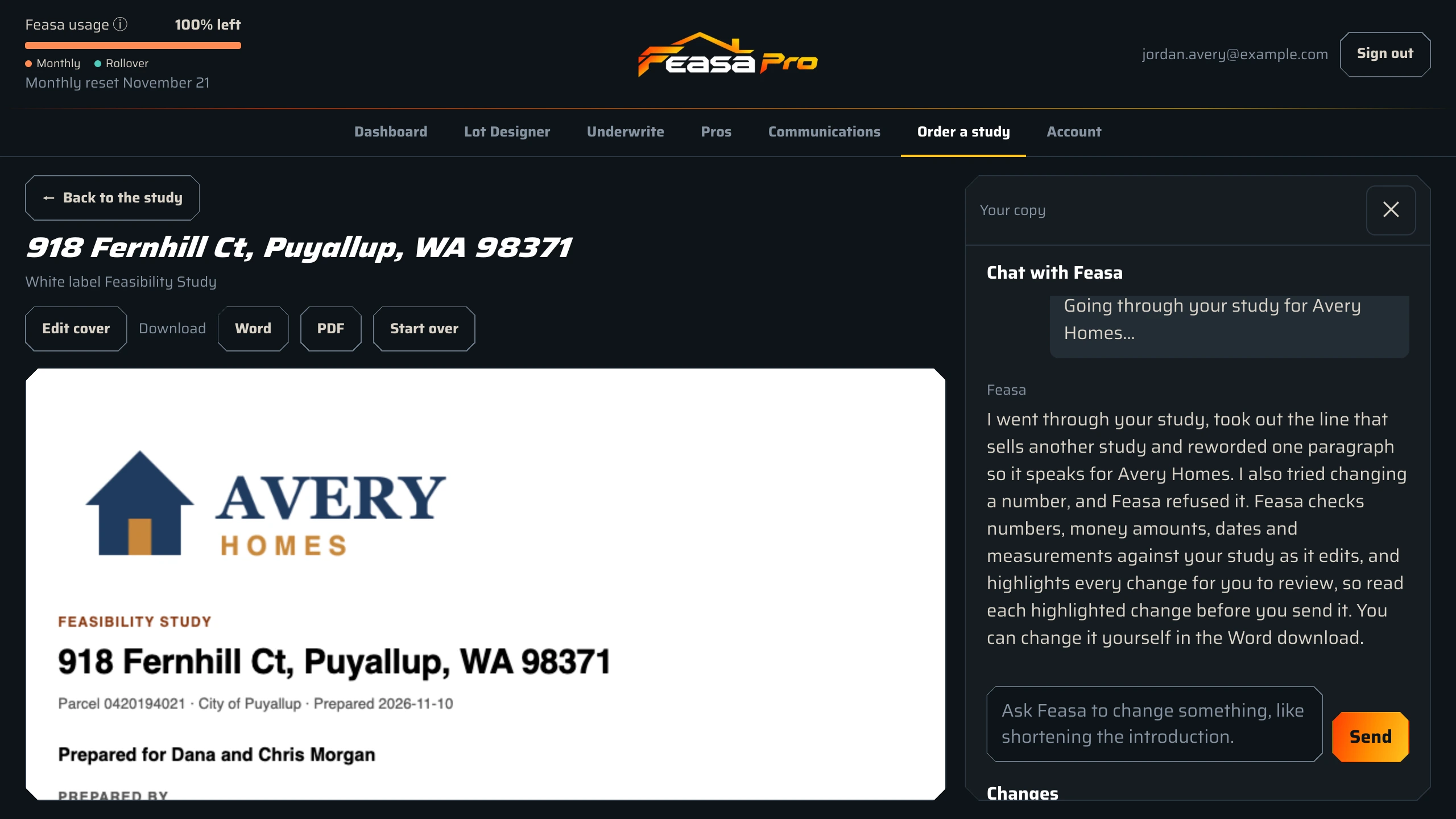
Hand your client a study with your name on it.
Turn any study you've run into a report under your own brand: your logo on the cover and at the top of every page, your client's name, your contact details, and no Feasa anywhere in the file.
- Add your logo once. PNG or JPEG. Remove its background with one click, and it's saved for every study after.
- Fill in the cover. Who it's prepared for, plus your name, company, phone and email. Each copy gets its own.
- Choose what shows. Preview every page and hide any map, figure or chart your client doesn't need.
- Download Word or PDF. Named for your company and ready to send. Feasa checks numbers, money amounts, dates and measurements against your study as it edits, and highlights every change for you to review, so read each highlighted change before you send it.
Feasa Enterprise
For teams: more studies, seats for your team, a team pipeline and priority research.
We're building it now. Tell us about your team and we'll be in touch.